Effects
Every effect we build, live on this page.
38 working samples in 8 groups. Try them: drag, scroll, tap. We use them where they help a customer understand or decide, never just for show. All of them respect reduced-motion settings.
Type and text
Make the words themselves move with intent.
Your business,at the center.
Line revealHeadlines rise line by line, once.On this site- 57integrations37effects6languagesNumber count-upKey figures count up when they come into view.
ONLINE PRESENCE
Text decodeLetters resolve from noise into the word.Welcome to your new website.
TypewriterTypes out a line, in Arabic or English.- RestaurantsClinicsSalonsConsultantsShopsNew companiesRestaurantsClinicsSalonsConsultantsShopsNew companiesCalm marqueeA slow strip of words or names. Pauses on hover.
Scroll
Let the page tell a story as visitors scroll.
- 01Scroll inside this box02Scroll inside this box03Scroll inside this box04Scroll inside this box05Scroll inside this boxScroll revealContent eases in as it enters the screen.On this site
- ScrollParallax layersLayers move at different speeds for depth.
- 01
Call
Build
Launch
Sticky storyA visual stays pinned while steps change beside it. 

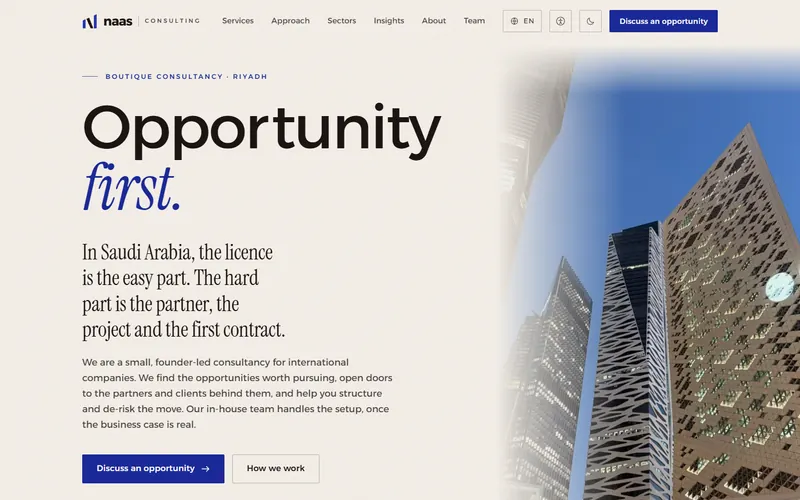


 Horizontal gallerySwipe or scroll sideways through work or products.Done on Law firm concepts
A long article reads easier when you can see how far you have come.
A long article reads easier when you can see how far you have come.
A long article reads easier when you can see how far you have come.
A long article reads easier when you can see how far you have come.
A long article reads easier when you can see how far you have come.
A long article reads easier when you can see how far you have come.
A long article reads easier when you can see how far you have come.
Reading progressA thin bar shows how far through the page you are.- Line drawingTechnical drawings draw themselves in.On this site
Pointer and touch
Respond to the hand on the mouse or the finger on the glass.
- Move hereSpotlightA soft light follows the pointer across a dark panel.On this site
- Magnetic buttonThe button leans toward the cursor before the click.
- Before and afterDrag the handle to compare two states.Done on CORETECH
- Zoom lensInspect product detail under a lens.
- CORETECH
- Judoor
- Cervilat
Cursor previewA list that shows each item’s image beside the cursor.On this site
3D
Objects visitors can turn, open and inspect.
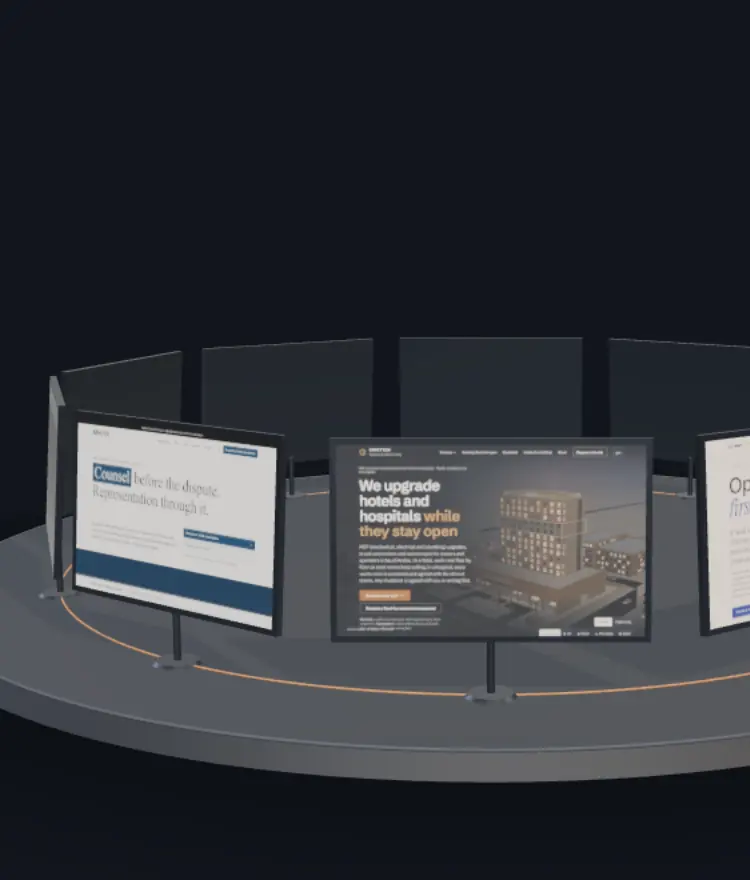 Open the live 3DRealistic 3D sceneLit, shadowed, drag to turn. Our home page orbit.Done on CORETECH
- MADARمدارProduct spinDrag a box or product around in 3D.
- Flip cardFront and back, a tap to turn.
Transitions
Move between states without a jarring cut.
Judoor · business services
Shared-element morphA thumbnail grows smoothly into its detail view.On this site- Arabic and English flipThe whole layout mirrors when the language changes.Done on Black Horse
- Sliding tabsThe indicator glides to the chosen tab.
How fast is the first version?
Within a week of the call.
Do you write the Arabic?
Yes, written in Arabic, not translated at the end.
Smooth accordionAnswers open with an eased height, not a jump.
Data and tools
Explain numbers, places and prices interactively.
- Animated chartBars grow into place, values on hover.Done on NAAS Consulting
At 3%, that is 60 enquiries a month
Illustrative rate
Live calculatorMove a slider, see the answer change.Done on NAAS Consulting- Interactive mapPins with details for branches or projects.Done on NAAS Consulting
- Branded QR, liveType a link and watch the code redraw with your colours and mark.On this site
- --:--Riyadh--:--Dubai--:--LondonLive clocksYour time zone and your clients’, side by side.On this site
Images and media
Show photography and work at its best.
 Image wipeA clean mask reveals the image on arrival.
- Lightbox galleryTap an image to see it full size, swipe through.
- Slow push-inA gentle cinematic zoom on a hero image, once.
 Device framesScreens shown on desktop and phone together.On this site
Micro-interactions
Small responses that make a site feel well made.
- Tactile buttonPresses down a pixel and confirms.On this site
Copied
Copy with toastCopy a number or email, with a quiet confirmation.- Inline validationForms tell you what is wrong as you type.On this site
- Loading skeletonA calm placeholder while content loads.
- LightDarkAaTheme switchLight and dark, remembered per visitor.Done on NAAS Consulting
- Quick jumpPress / to jump to any page from the keyboard.On this site